Clean and redact spreadsheets in seconds.
100% offline, guaranteed privacy.
Merge names typed five ways, remove duplicates, fix dates and combine or compare files in a few clicks. Fifty rows or fifty million.
What it does
Everything a big, messy file needs.
Inspect, clean, query and redact giant files, all in one window.
Clean and match
One vendor, typed five ways. Fixed in one step.
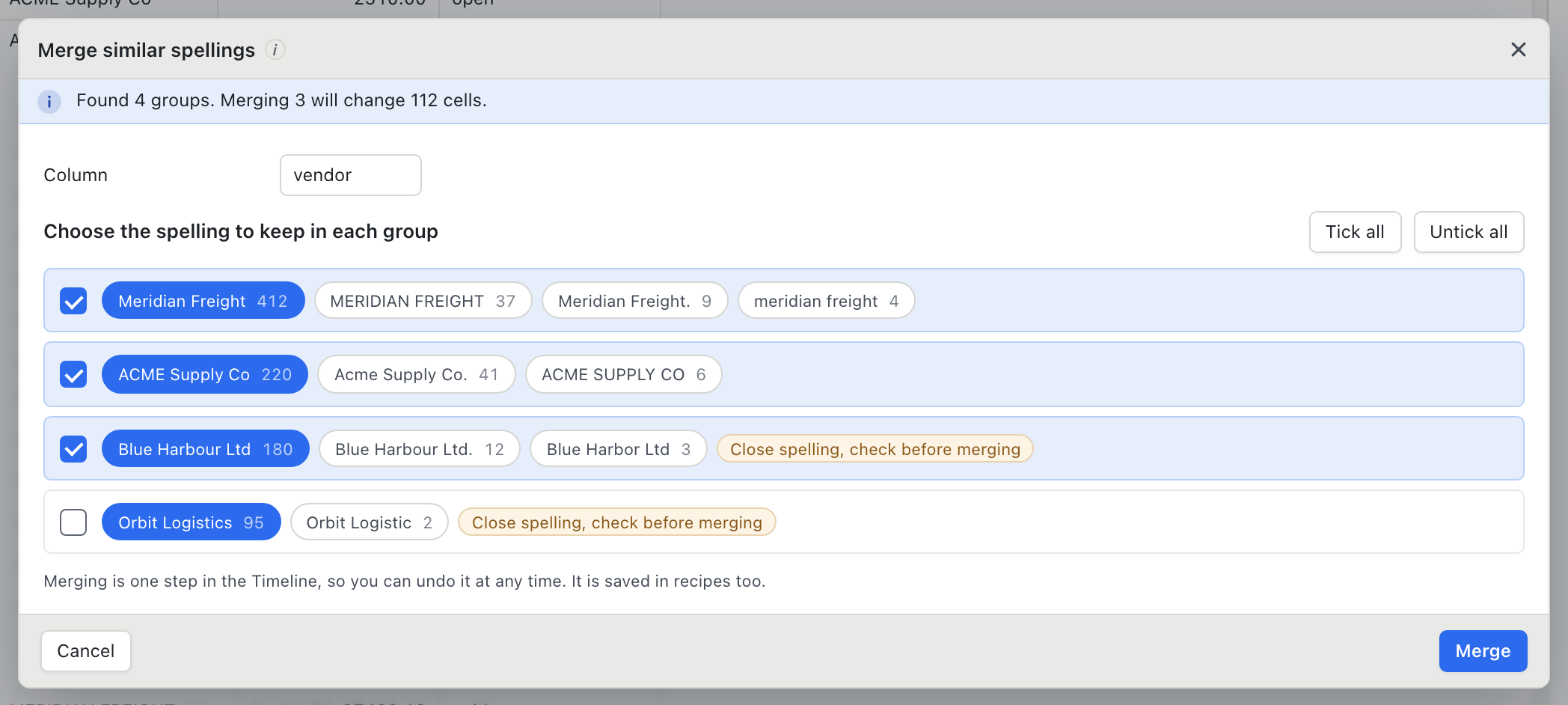
Pick a column and BigXL groups the values that are really the same thing: different capitals, stray spaces, a missing full stop, a small typo. You choose the spelling to keep, see how many cells will change, and merge. Duplicates, dates and money columns get the same treatment.
Auto PII Redaction
Detect and redact PII in one click.
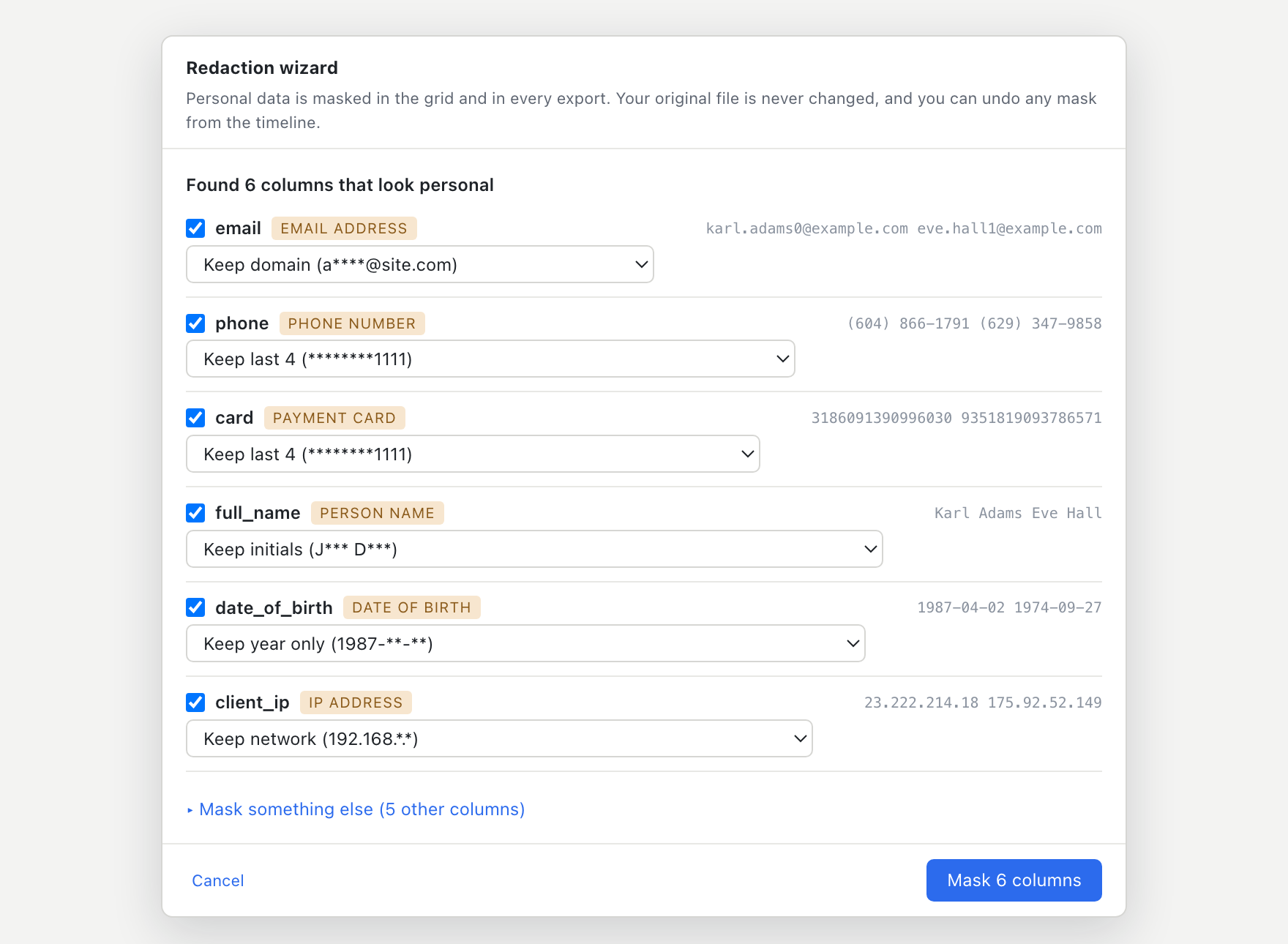
Scan entire files for personal data in one click. Detect names, email addresses, phone numbers, credit card numbers, SSNs, and IBANs automatically. Mask data on your machine before sharing files with teams or vendors.
Meet Bix, your offline assistant
Don't write SQL. Just ask Bix.
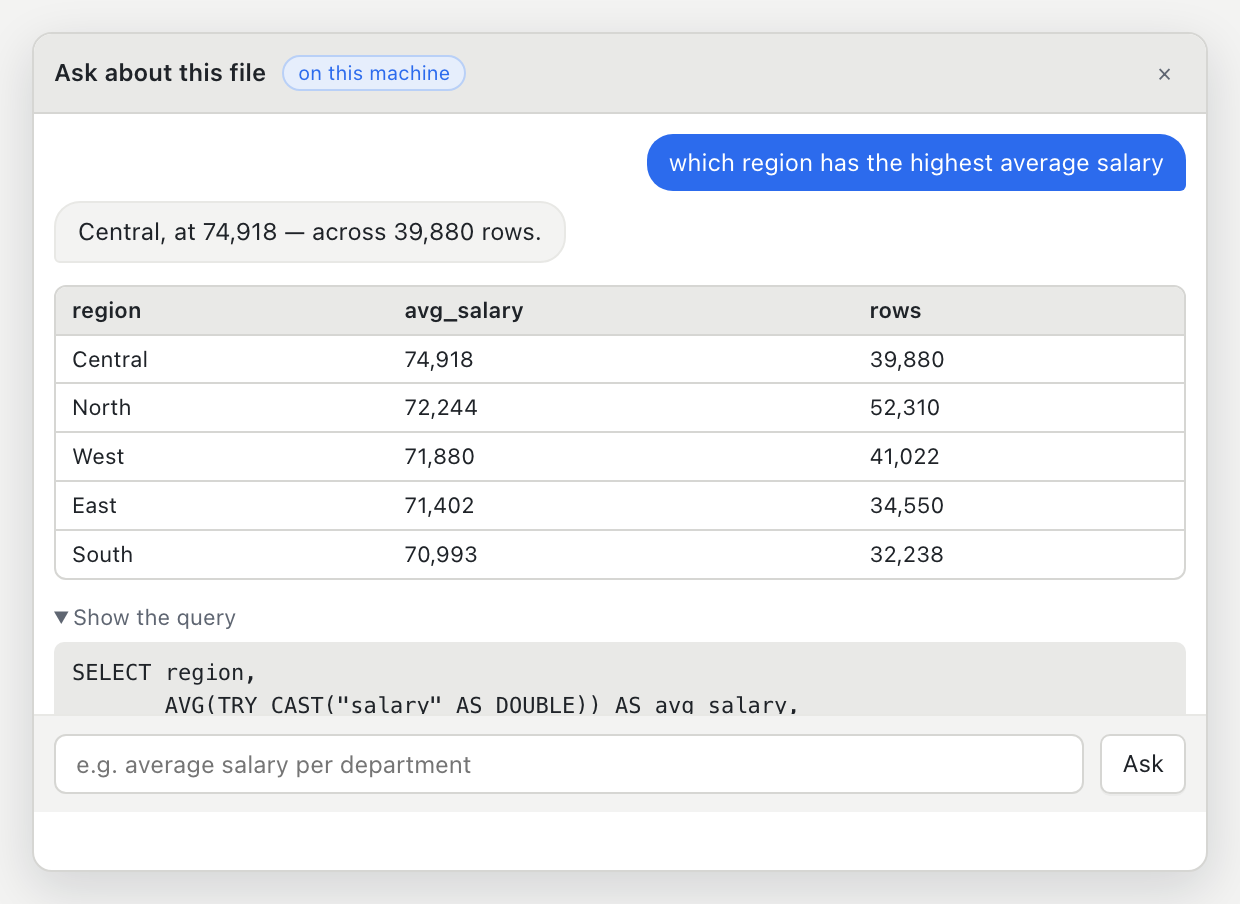
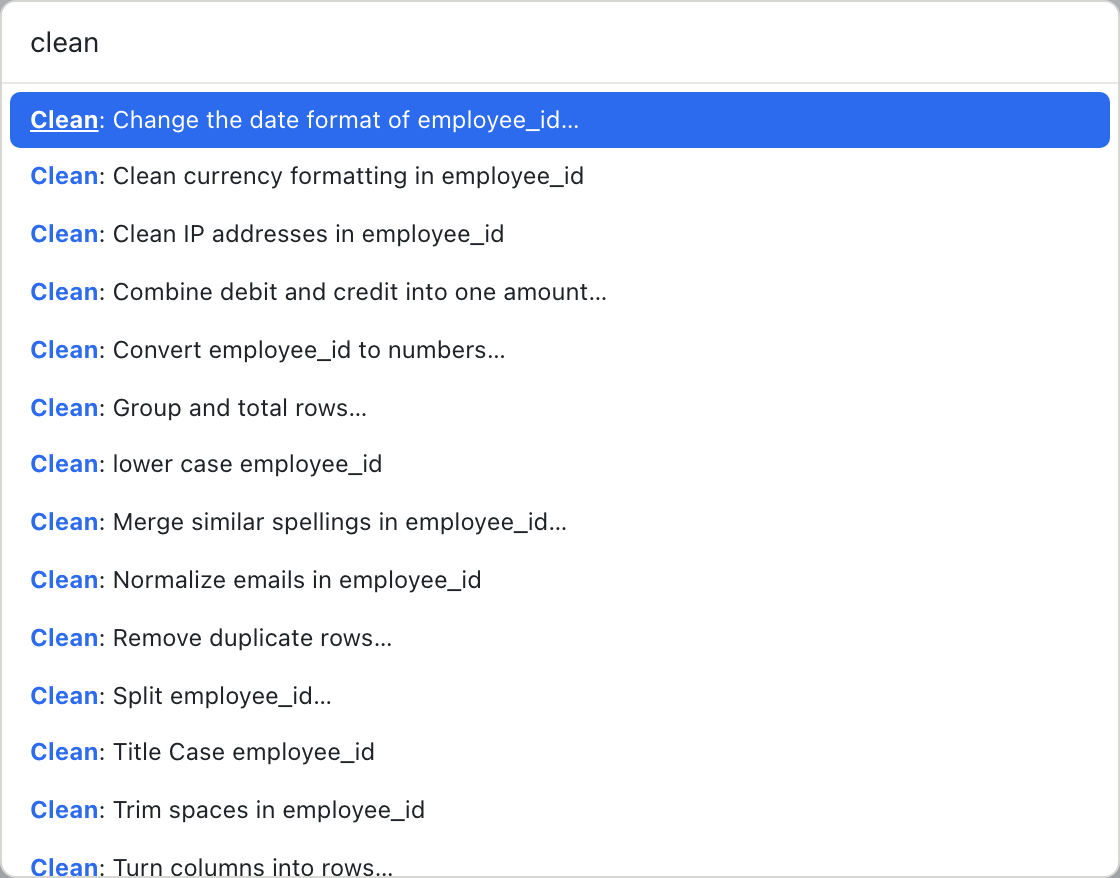
Bix is the assistant built into BigXL. Ask a question or give an instruction in your own words, and Bix answers with a table, draws a chart, or opens the right cleaning tool. It runs entirely on your own CPU or GPU, so you never upload a file to ChatGPT or Claude. The intelligence ships inside BigXL.
DuckDB SQL Console
Write complex custom queries when you need to.
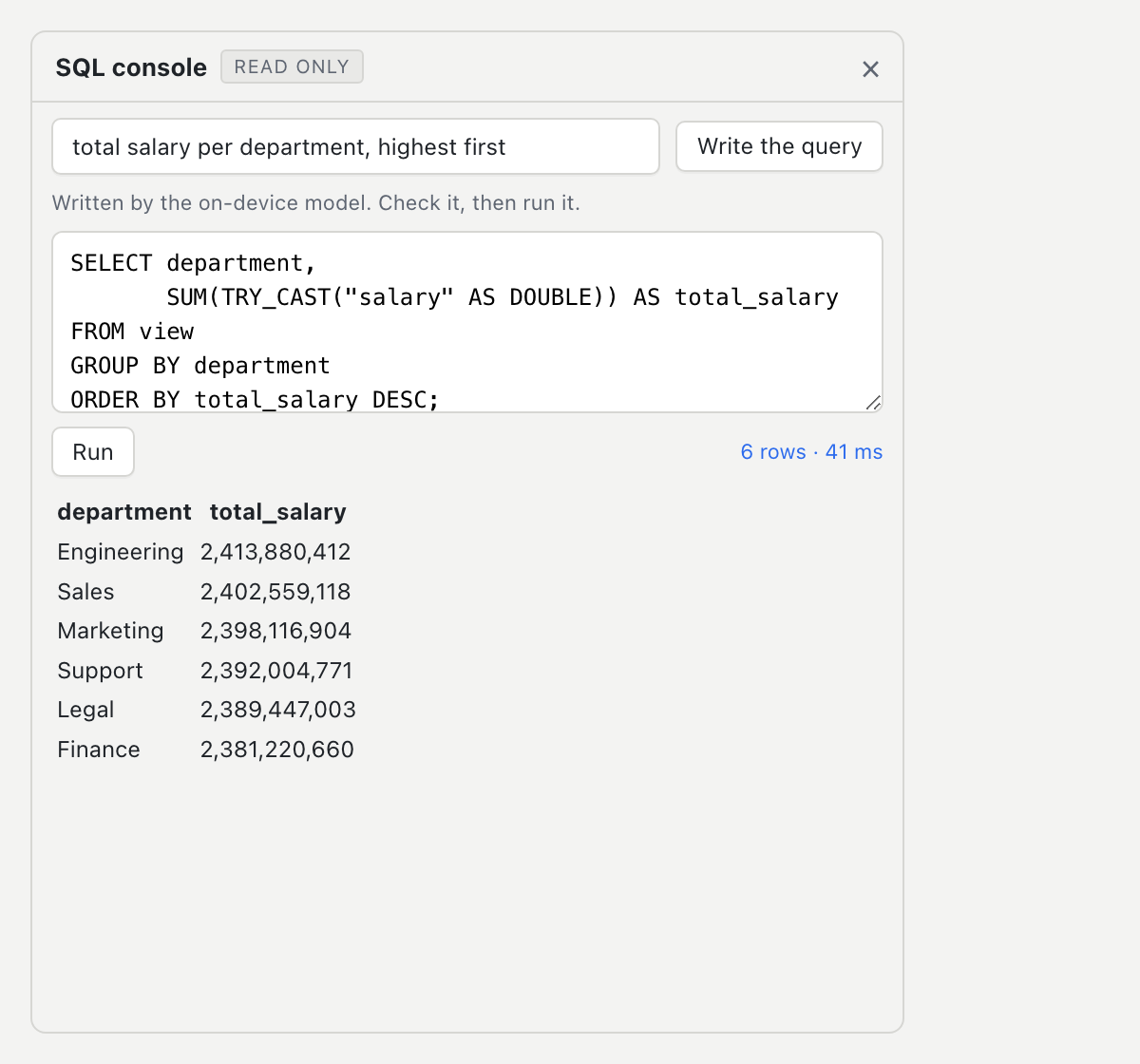
If you do not want to write SQL, ask in plain English. If you want to write your own complex queries, open the built-in DuckDB SQL console to run custom SQL against your active view with full control.
Summaries & Analytics
Statistical profiling and smart charting.
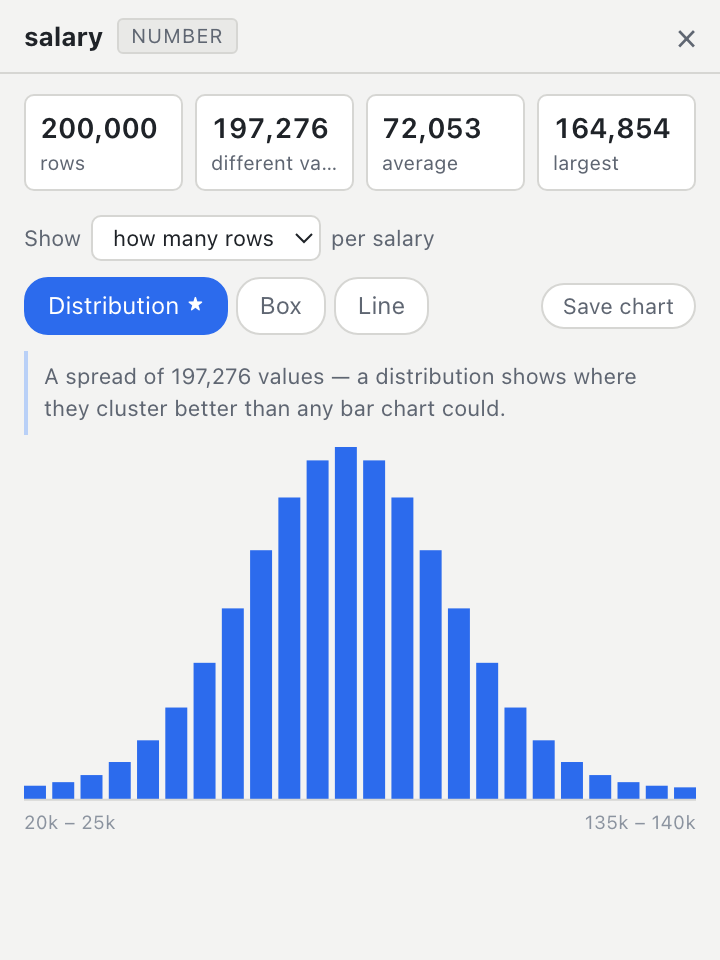
Select any column to get instant summary statistics across millions of rows. Distinct counts, missing values, medians, and distribution charts generated in milliseconds.
History & Folder Batch
Every edit is a save point. Run recipes on folders.
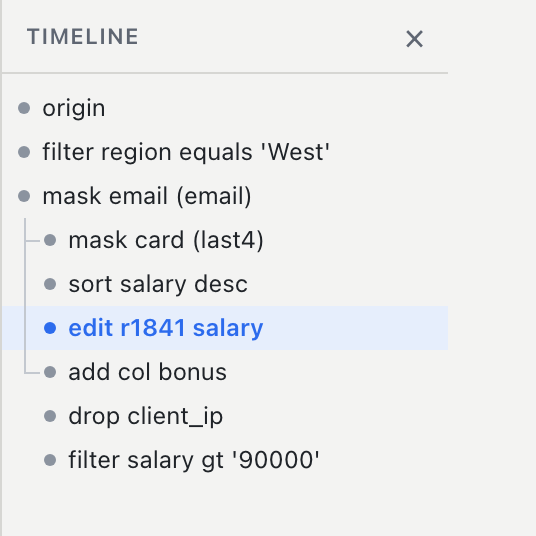
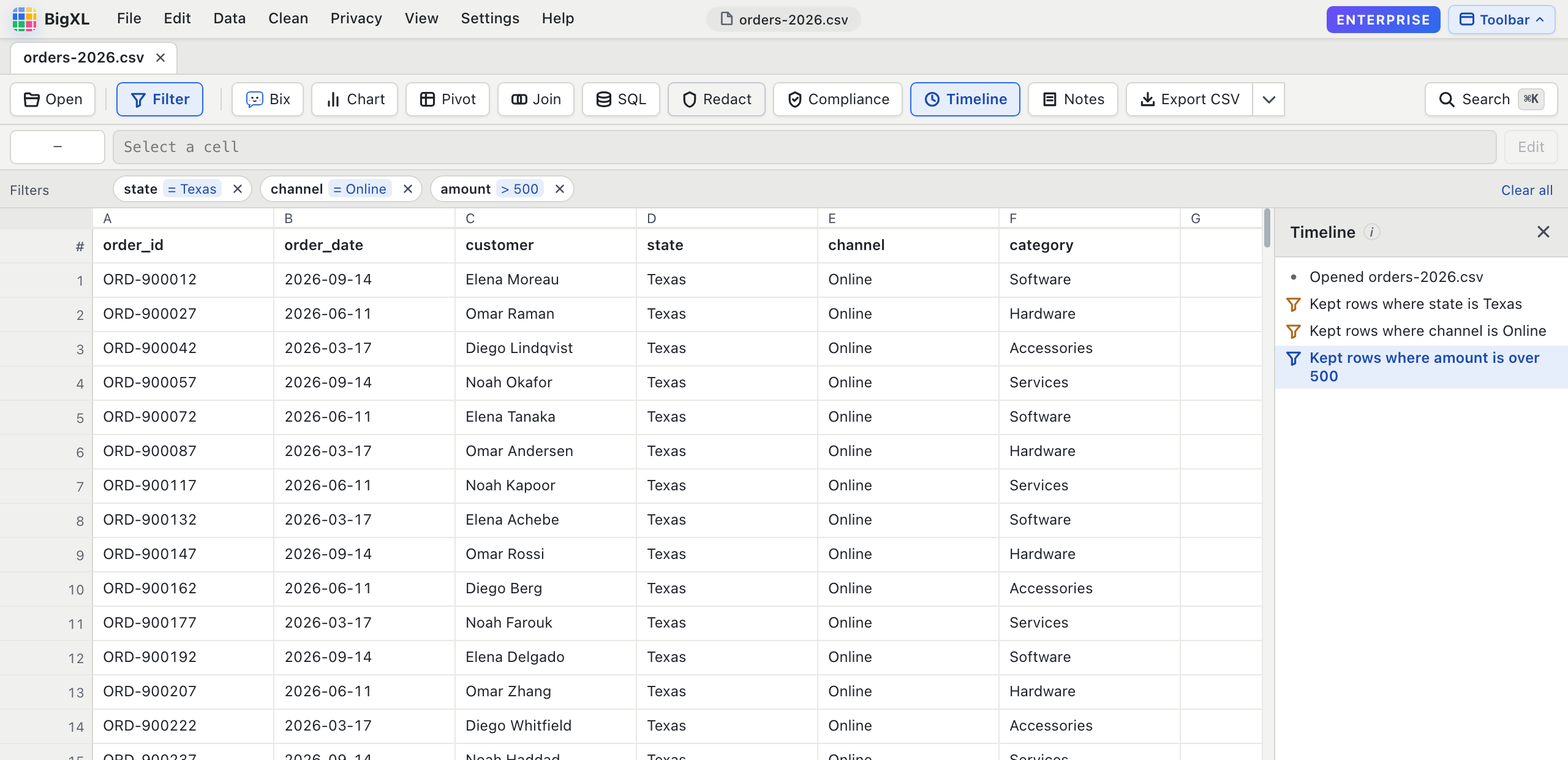
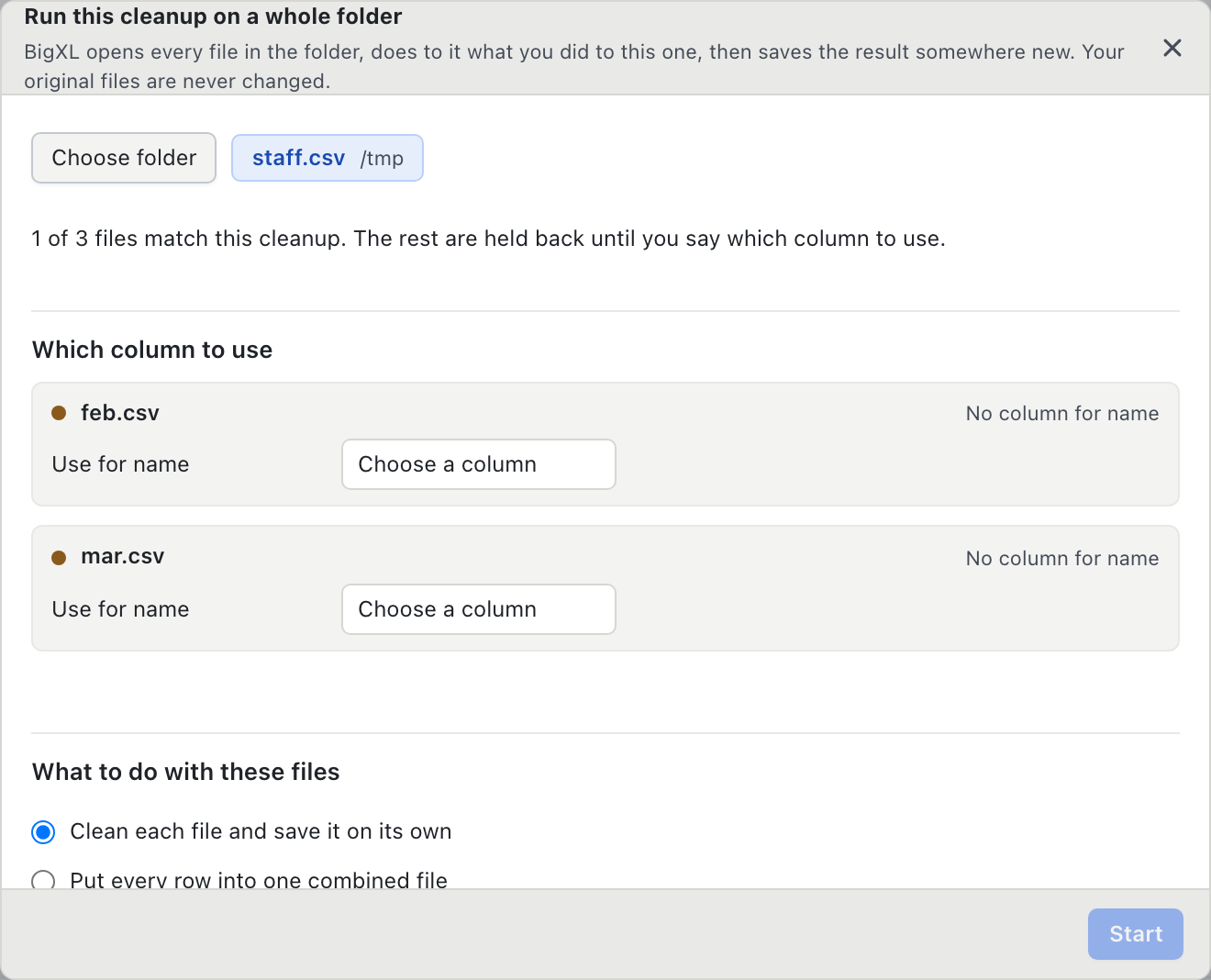
Every filter, cleanup, and redaction is stored as a step in a branching history. Jump back to any point without altering your source file, or export your workflow as a recipe to clean an entire folder of files.
Who it saves time for
Built for people who live in spreadsheets, not code.
The same few jobs eat the afternoon in every team that handles sensitive data. These are the ones BigXL turns into a few clicks. See each one worked through, with screenshots.
Investigators
Combine phone records from several carriers, line them up in one timeline, and mask the numbers that are not part of the case before you share it.
Auditors and accountants
Merge vendor names typed five ways, find repeated invoices, and compare this month's ledger with last month's, row by row.
Healthcare and HR
Hide names, IDs and dates of birth before a file leaves your desk, and keep a record of exactly what was hidden.
Legal teams
Open load files and productions of any size, join custodian lists, and split a big export into one file per person.
The rest of it
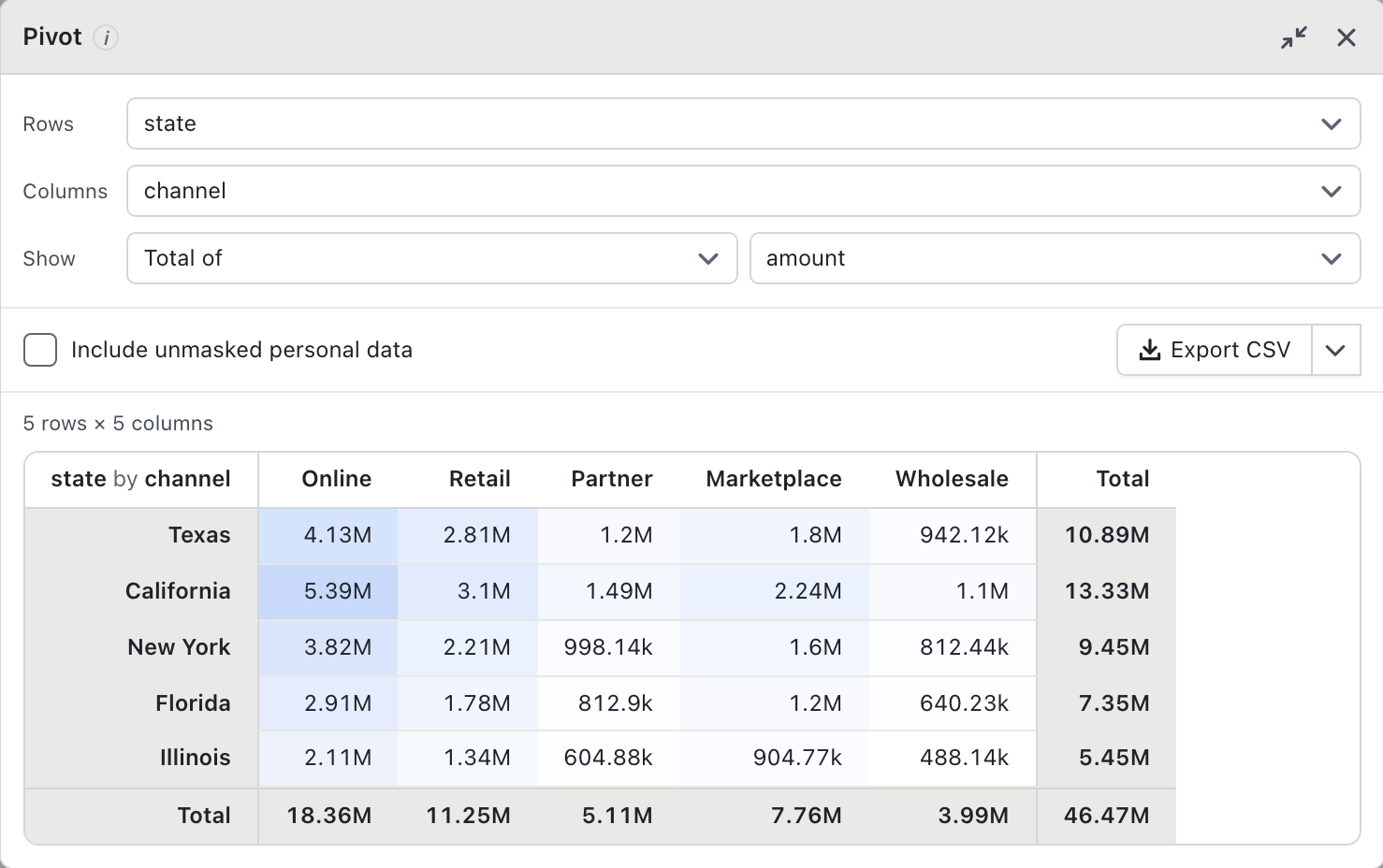
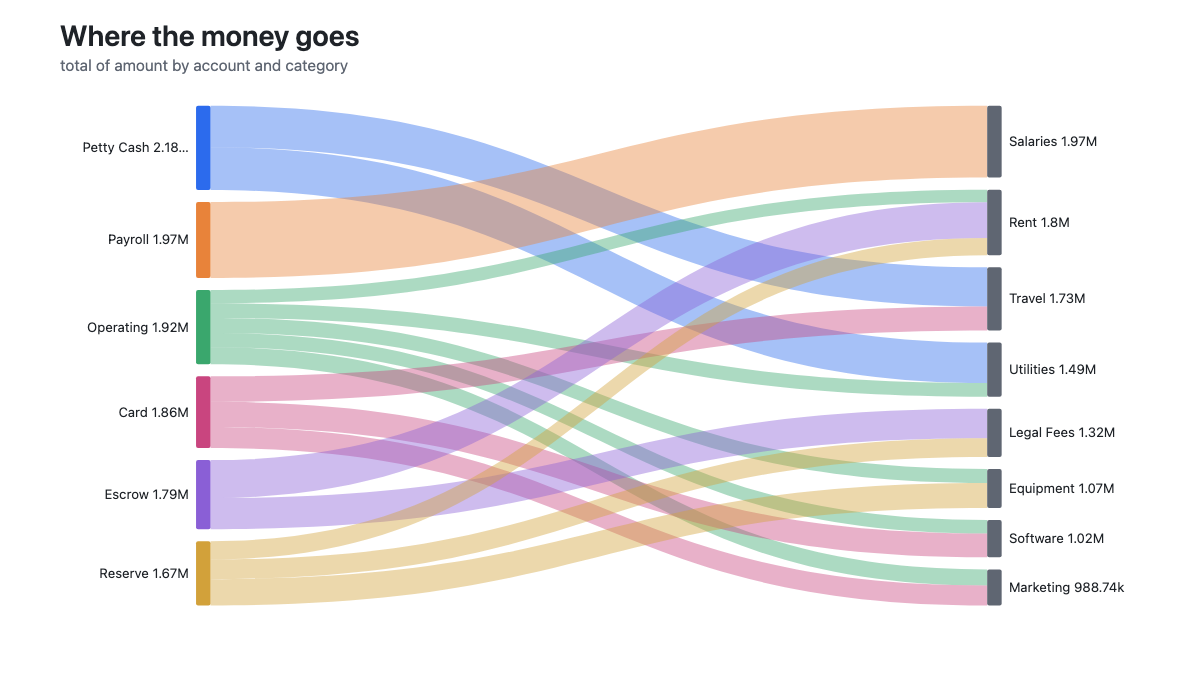
Every panel, on one screen.
Screenshots of the application, not illustrations.
Scale & Formats
Bring any spreadsheet. Built for 10 GB+ files.
Raw CSV, compressed .gz or Parquet. Nothing is loaded into memory wholesale, so the file can be far bigger than your RAM.
Open raw .csv, compressed .csv.gz, .parquet, or .tsv files directly. No converting or pre-splitting required.
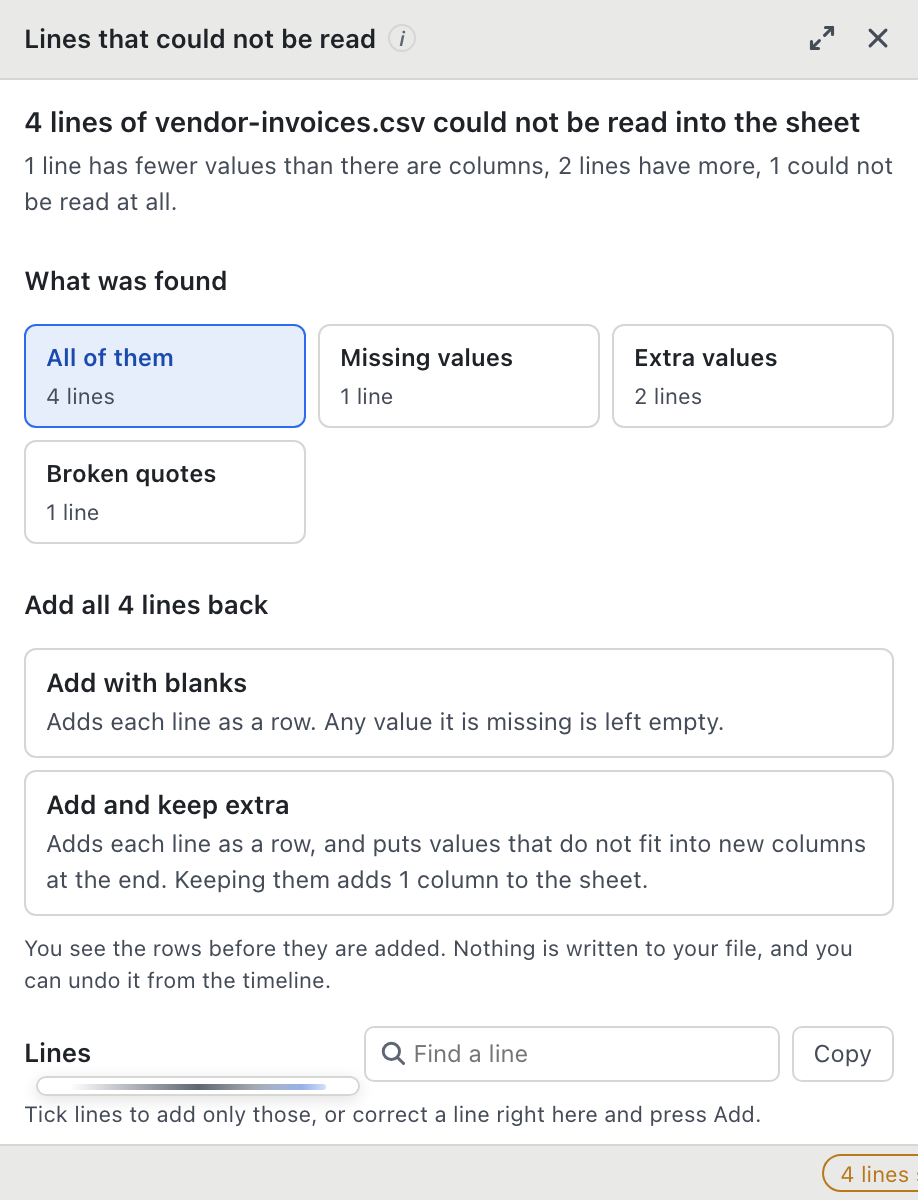
Bad delimiters, unclosed quotes, and dirty rows are isolated in a reject log so you can review and clean them by hand.
The alternatives
Most CSV tools solve half the problem.
A fast viewer opens the file and then sends you to Python. A database client wants a schema first. A cloud tool wants your customer records on someone else's server.
viewersDatabase
clientsCloud
data toolsBigXL
desktop
Privacy
Your data never leaves your machine.
Not a setting you have to find and switch on. It is how the app is put together, which is why legal, healthcare and finance teams can use it on data they are not allowed to upload anywhere.
Opened from local storage, read in place, never sent over the wire. A 50 GB file stays on your disk, and zero bytes leave your system.
Bix, the AI assistant, runs entirely on your own processor. You get natural language queries without sending confidential files to third-party APIs.
No account creation, no telemetry tokens, no authentication calls. Install the desktop app and open your files immediately.
Zero crash reporting beacons, zero usage analytics, zero phoning home. We cannot see your column headers or your data.
Every edit, filter, and mask operates in a working layer of its own. Your raw source file is never overwritten.
No internet needed to install, activate or use it. It runs the same on a computer that has never been online.
Cleaning and reshaping
The whole cleanup, inside the sheet.
Every one of these runs over the full file, previews what it will change, and lands in the history as a step you can step back out of.
Find and replace
Across one column or all of them, with match case and whole cell, showing exact counts before you commit.
Merge similar spellings
Acme Inc, ACME, Inc. and acme inc become one value. Review each group and pick the spelling to keep before anything changes.
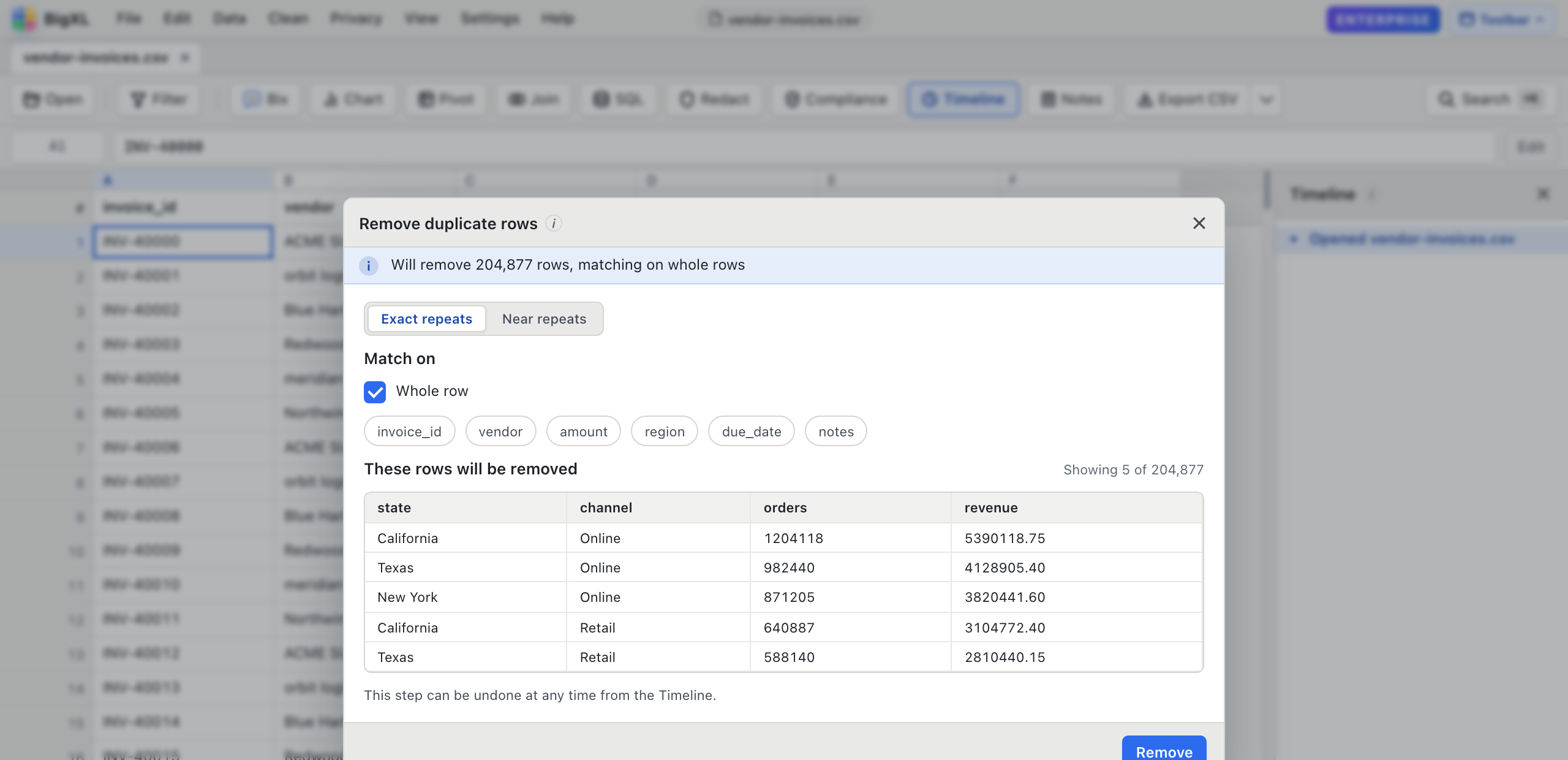
Remove duplicate rows
Select key columns, preview duplicate counts, and drop repeated rows across tens of millions of records.
Trim and re-case
Strip stray whitespace and convert between UPPER, lower, and Title Case with live before and after previews.
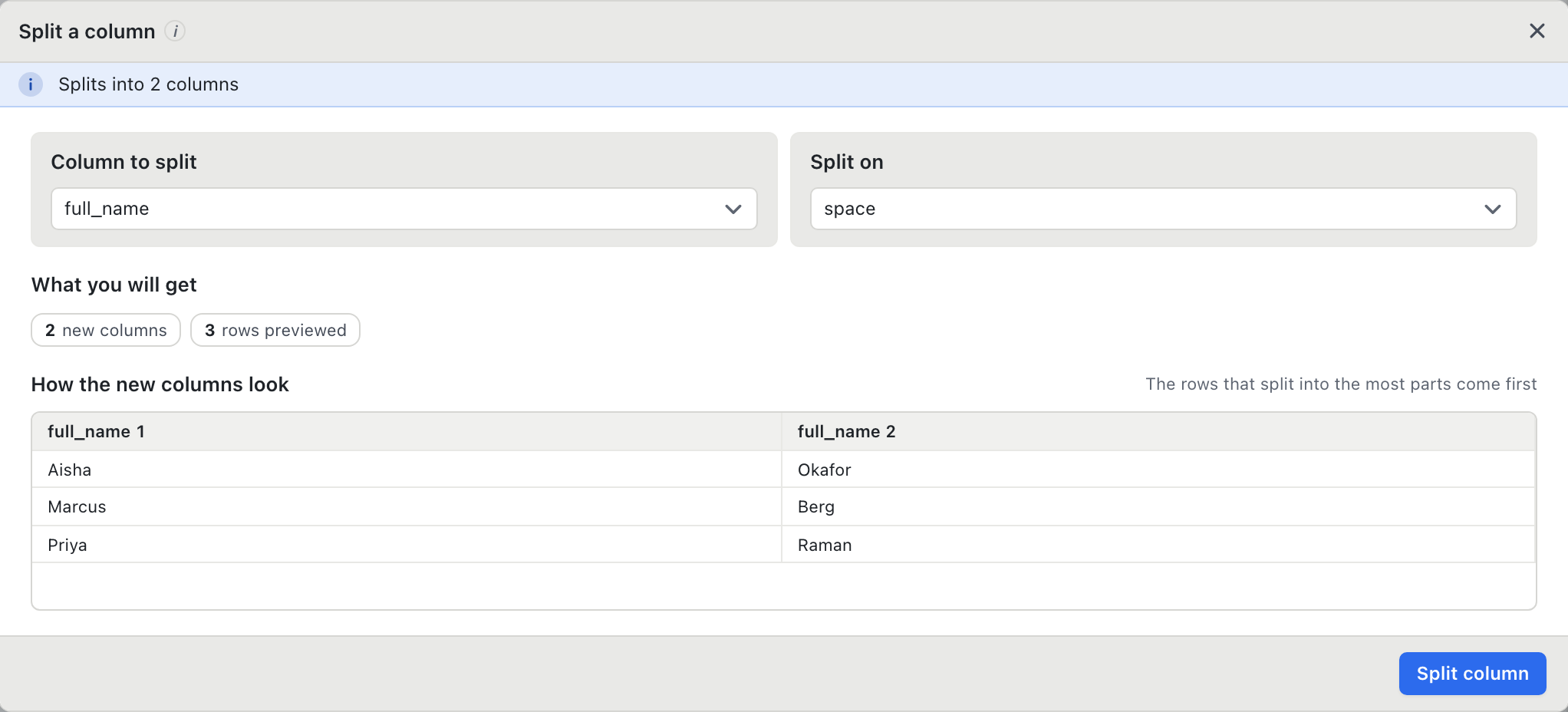
Split columns
Divide columns by any separator with instant row previews before applying changes.
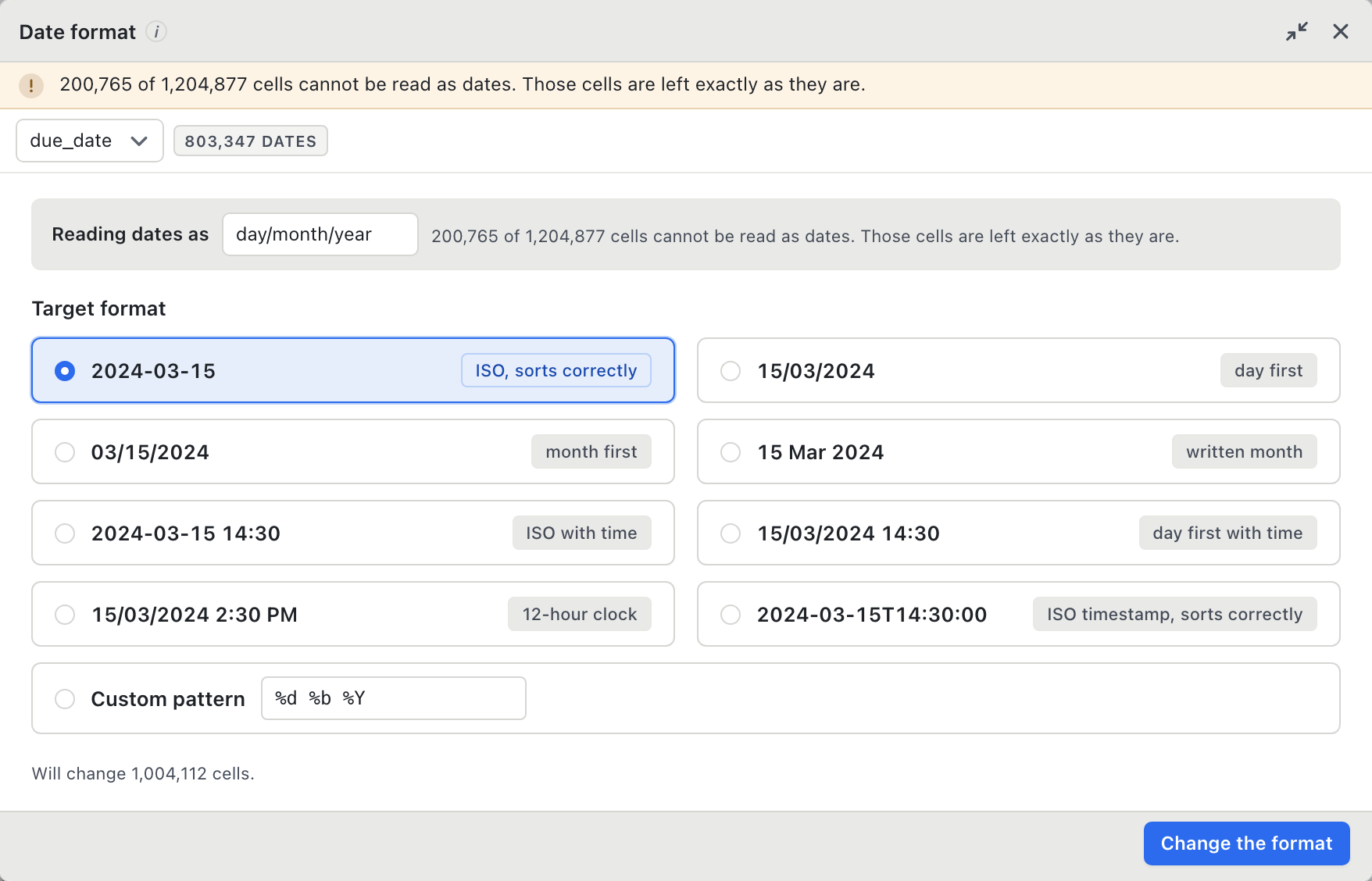
Fix date formats
Six spellings of the same date become one format in a single pass. Cells that cannot be read are left alone.
Fix problem values
Find the $1,234.56, (200) and n/a hiding in a number column, and turn them into numbers, blanks or zeros.
Computed columns
Create new columns from custom SQL expressions with real-time validation as you type.
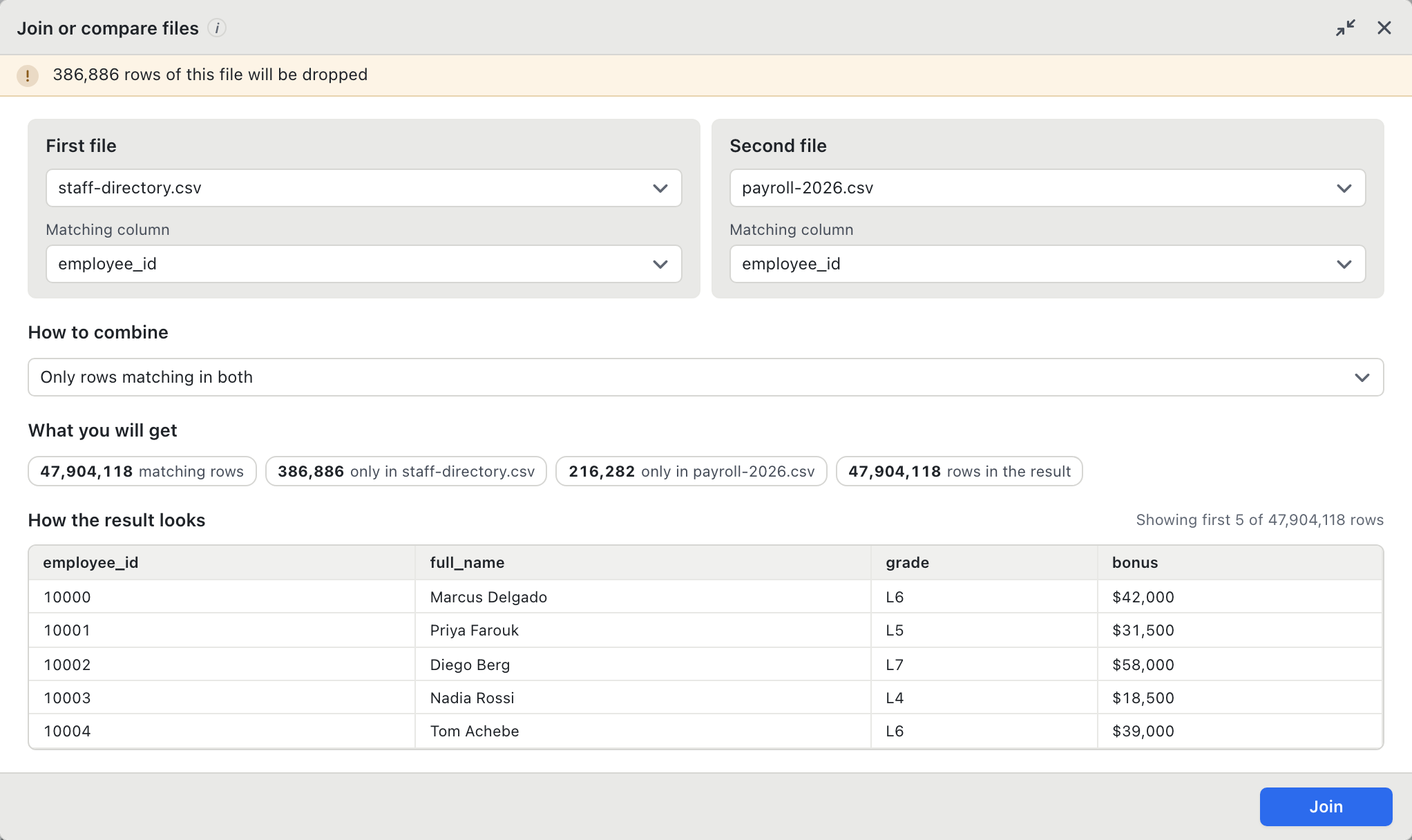
Join spreadsheets
Match files on key columns with inner, left, or outer joins and inspect match rates prior to execution.
Engineering notes
Notes on working with big files.
How to open, clean and merge very large spreadsheets, and the habits that keep the work quick.
Give the afternoon of find and replace back.
Free forever for opening any size of file, with no row limit and no account. Pro is $99 1st year with optional $29/yr updates.